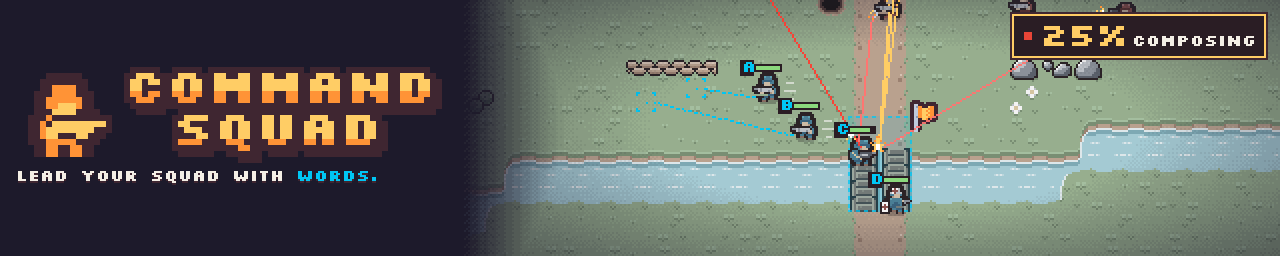
Command Squad
Lead your squad with words.
Command Squad is a top-down, real-time tactics game in pixel art. You never click a soldier. You type or speak an order in plain English, and your squad carries it out.
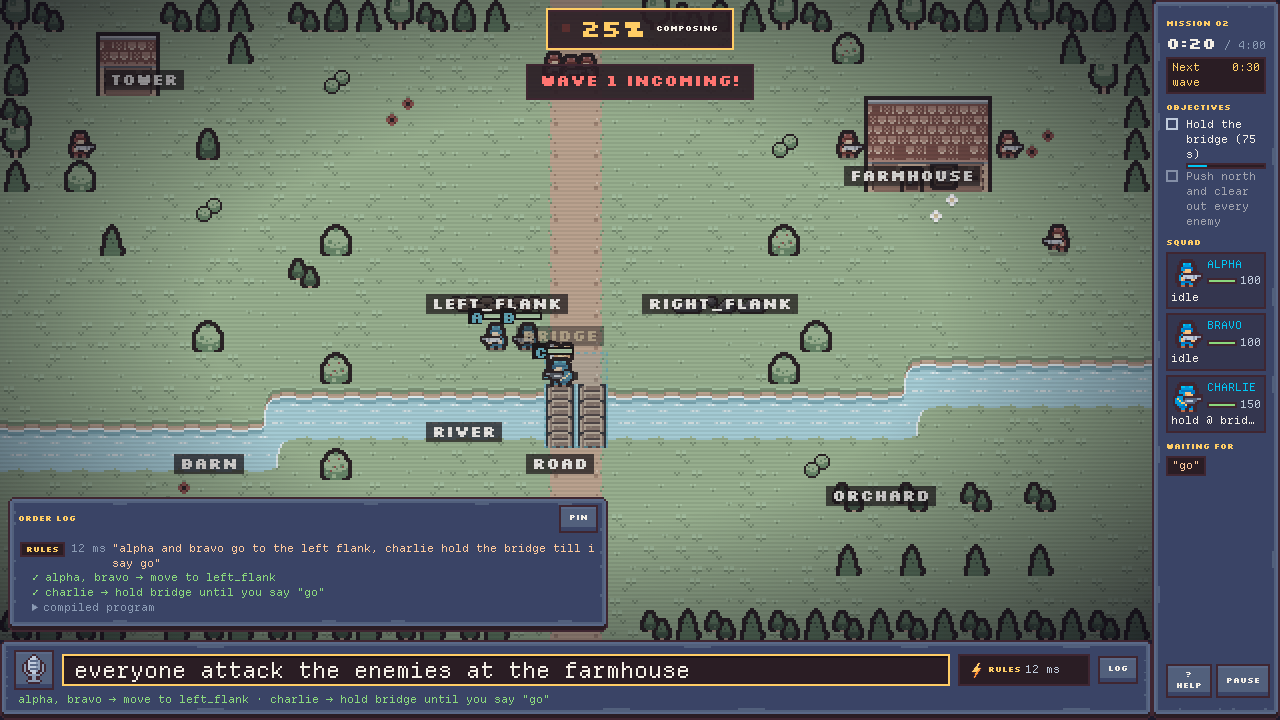
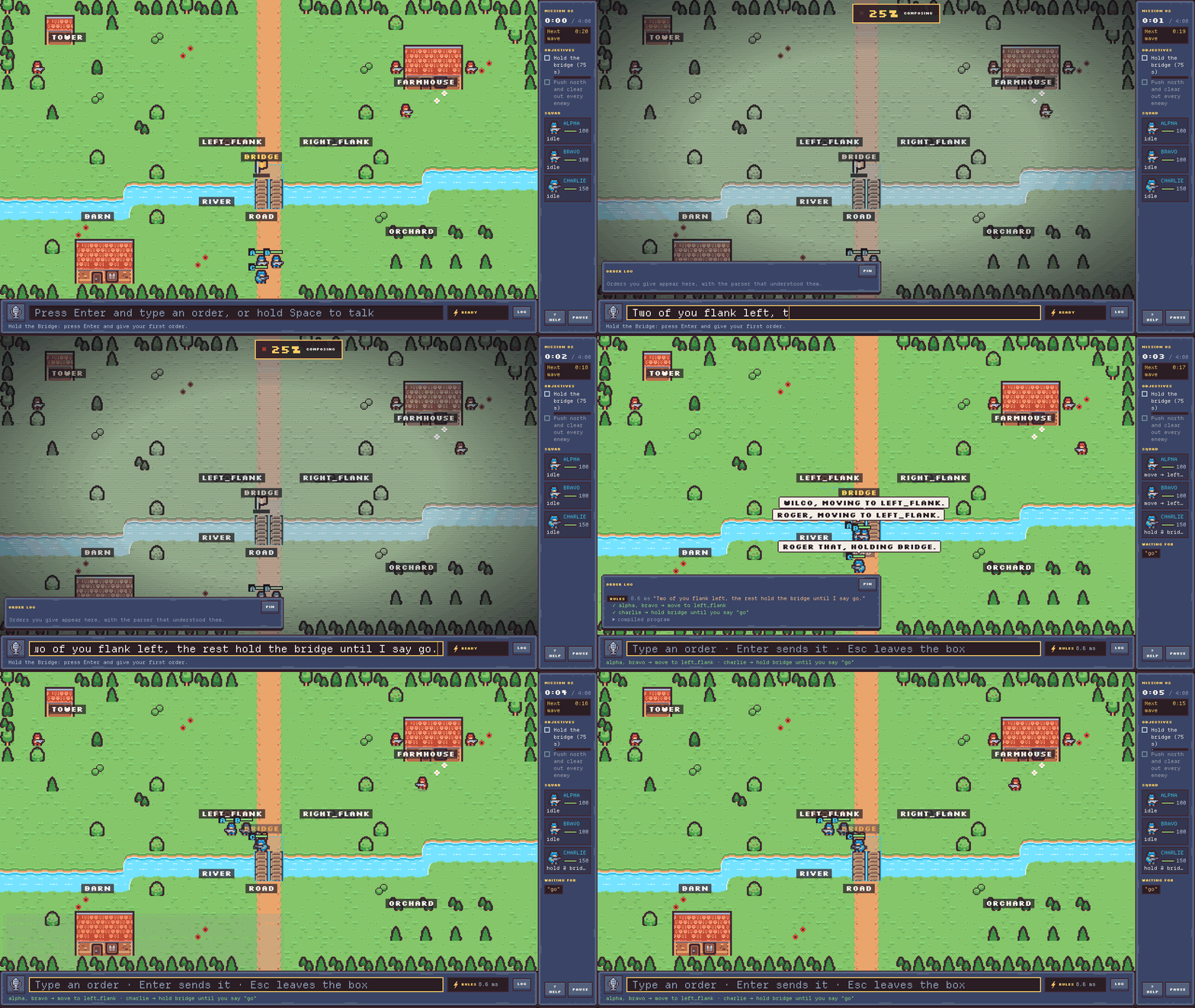
While you type or talk, the battle slows to 25% speed. It does not stop. A short, clear order saves lives.
How to play
- Press Enter, type an order, and press Enter again.
- Or hold Space, say the order, and let go. Voice needs a one-time setup (see Requirements).
- In a mission, press F1 for example orders and the names of the places on the map.
Try these orders:
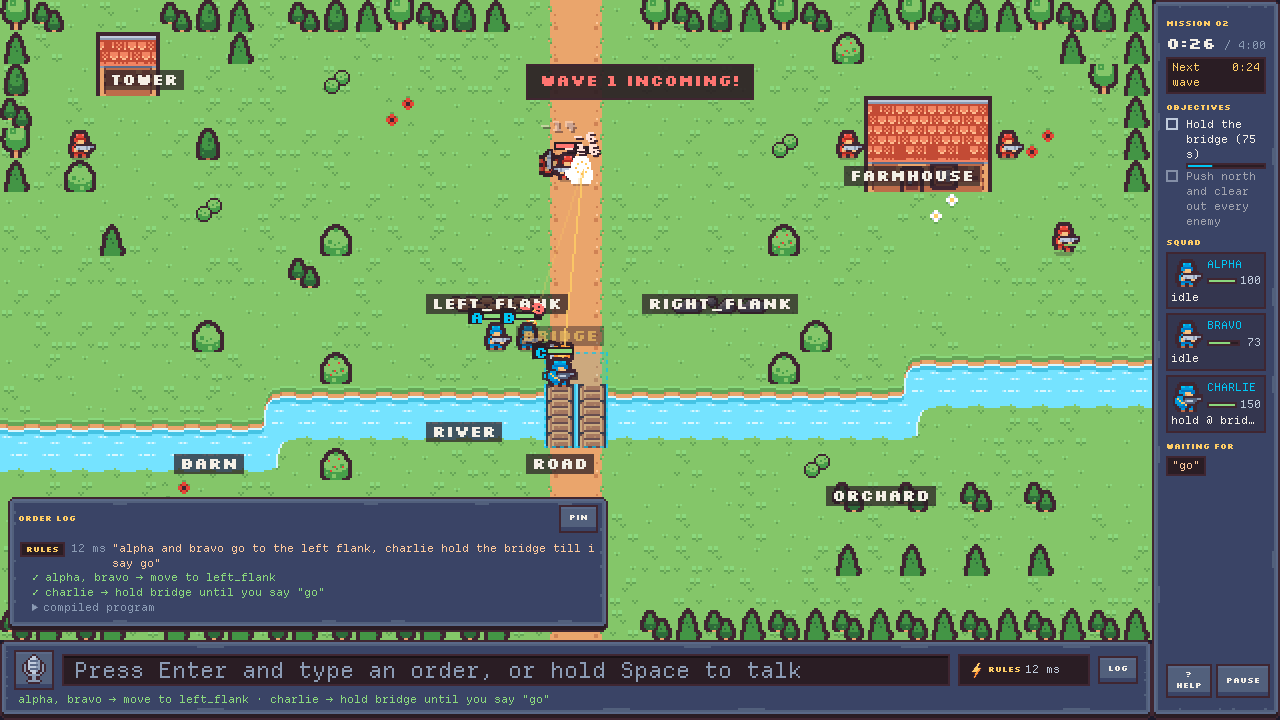
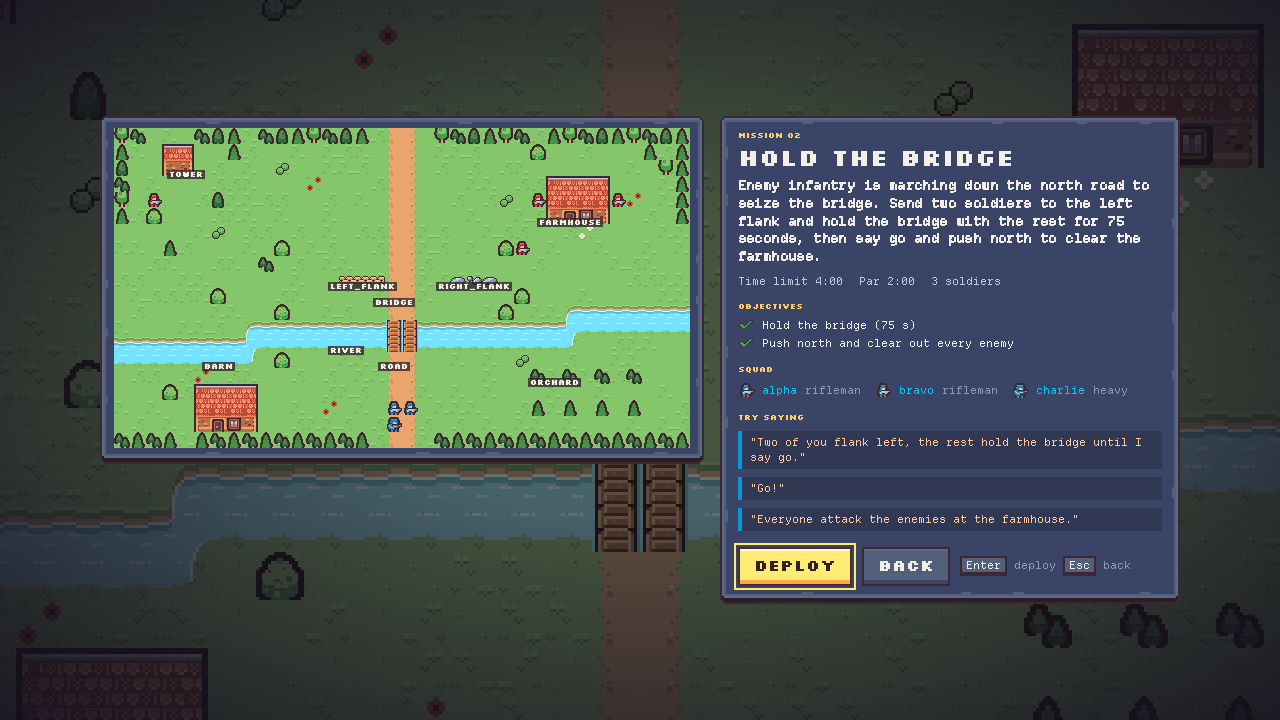
- Hold the Bridge: "Two of you flank left, the rest hold the bridge until I say go." After 75 seconds: "Go!"
- Supply Run: "Whoever is closest to the tower, grab the crate and fall back to the medic."
- The Wall: "If anyone drops below half health, retreat behind the wall."
Each order becomes a short program in the game's command language. The order log shows what each soldier will do, which parser understood you, and how long it took. If no parser is sure, the game asks you a question or suggests an order that you can run with one click.
Features
- Words, not clicks. Typed and spoken orders, in plain English.
- Slow motion, not pause. The game runs at 25% while you give an order. A slow order still costs you time.
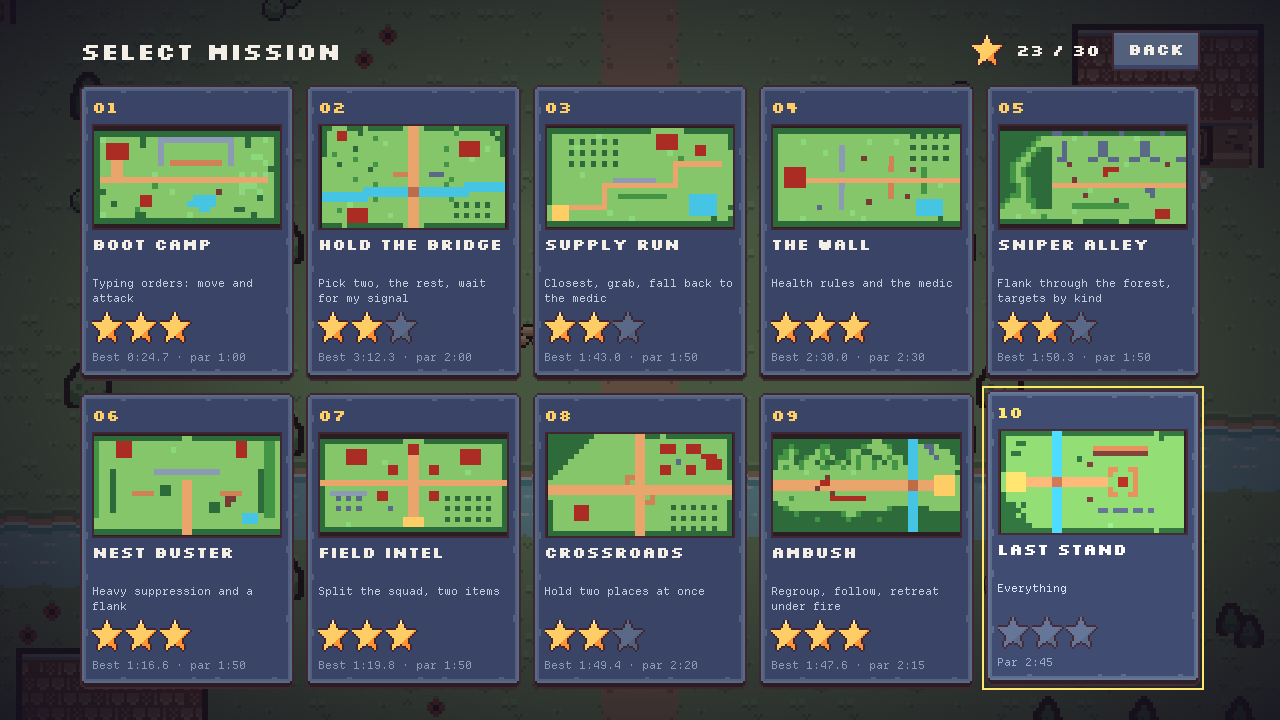
- 10 missions, from Boot Camp to Last Stand. Earn up to 3 stars in each: win, lose no soldier, beat the par time.
- A parser on your device. A rule parser runs inside the game and answers in a few milliseconds. No server is needed.
- A small AI model, when you want it. A fine-tuned 0.5B language model reads the orders that the rule parser is not sure of. It runs on your computer, not on a server. In the browser it stays off until you click to download it (398 MB). The Mac app has it inside and uses it at once, with no internet connection.
- Voice on your device. By default, speech recognition (whisper.cpp) runs in your browser, so your voice stays on your computer.
- Keyboard first. The menus, the orders and the order log all work with the keyboard. Text size up to 150% and reduced screen shake are in Settings.
Controls
- Enter or T: go to the order box. When you start to type, the game slows to 25%.
- Enter (in the box): send the order.
- Esc (in the box): clear the order and go back to full speed.
- Up / Down (in the box): your earlier orders.
- Space (hold): push-to-talk. Let go to send.
- Alt+Enter: use the suggested order.
- Tab: place names on the map, on or off.
- F1 or ?: help, example orders, place names.
- P or Esc: pause.
- L: pin the order log. O: go through the order log with the keyboard.
Requirements
In the browser
- A desktop computer with a keyboard. Made and tested in Chrome (Chromium) on a Mac. Other browsers were not tested.
- Phones and tablets are not supported.
- In Safari, itch.io opens the game in its own window.
- Voice: a microphone. In Settings, Voice, download the speech model once (44 MB, from Hugging Face). Then hold Space in a mission.
- Voice speed on an Apple M2 Pro: the text of a 4-second order is ready about 0.8 s after you let go of Space when the browser gives the game threads, and about 2.7 s with one thread.
- Voice is new. It was tested with synthetic speech only, not yet with a real microphone.
- The AI model is optional. The game downloads it (398 MB, from itch.io with the game) only after you click to allow it, and keeps it in the browser. It needs about 400 MB of browser storage; private windows often block that storage, and then the model is off.
- The AI model is fastest in a browser with WebGPU (for example Chrome): less than a second an order on an Apple M2 Pro. Without WebGPU it runs on the CPU, about 2.5 times slower.
Mac app (download)
- A Mac with Apple silicon. The app is set for macOS 13 or later, but it was tested only on macOS 27.
- A download of about 400 MB. The AI model is inside the app and works with no internet connection. In a test of this build, the app sent no request to the internet.
- An order that goes to the AI model takes about 2 s in the app (Apple M2 Pro).
- Voice in the Mac app is not tested yet.
- Apple has not notarized the app, so macOS blocks it the first time. To open it:
- Open the .dmg file and drag Command Squad to Applications.
- Open Command Squad. macOS says "Command Squad" Not Opened. Click Done, not Move to Trash.
- Open System Settings, then Privacy & Security. Under Security, click Open Anyway next to the line about Command Squad.
- Click Open Anyway again and enter your password. After this, the app opens normally.
The speed of the AI model on the CPU in the browser was measured with an earlier fine-tune of the same size and type.
Privacy
- The game has no account, no ads and no third-party trackers. itch.io's own privacy policy covers the page around the game.
- This version has no cloud server set, so your orders stay on your computer. A later version may add optional cloud help.
- Speech stays on your device. The microphone is on only while you hold Space, and 0.2 s after. The game does not store or send the audio.
- The second voice engine, "Browser", is off unless you choose it. With it, your browser can send your voice to its own servers (Chrome does). Settings shows this warning next to the choice.
- Telemetry is off, and this build has no server to send it to.
- The speech model comes from Hugging Face. Like every website, Hugging Face sees your IP address. The AI model comes from itch.io, with the game.
- Your progress and settings stay on your computer.
How this was made
Command Squad is a portfolio project about machine learning and inference: a cascade of order parsers, a small model that runs on the device, evaluations and serving.
- Art: Kenney's CC0 pixel-art packs. Some sprites, effects and icons were drawn by scripts that Claude wrote. No image-generation model was used.
- Sound and music: CC0 recordings by Kenney and OpenGameArt artists. A script made three of the sounds from these recordings and added tones.
- The order model: Qwen2.5-0.5B-Instruct, fine-tuned on 18,138 example orders that a script made from templates. Claude Code wrote that script, but no order text from a Claude model is in the training data. On 405 test orders, its programs do the same thing in the simulator as the reference programs 82.7% of the time (measured with llama.cpp on a Mac). Claude wrote the test orders, so read this number with care.
- A model that also learned from orders written by Claude Haiku is not in this release.
- The source code is not public.
Credits and licenses
- Code: MIT OR Apache-2.0, at your choice. Copyright (c) 2026 M. Sherafati.
- Our own pixel art and sound edits: CC0.
- Pixel art: Kenney (kenney.nl): Tiny Battle, Tiny Town, Pixel UI Pack. CC0.
- Sound: Kenney; Tabasco (gunshots); SubspaceAudio, Juhani Junkala (alarm); Kresiek The Furry (radio noise). CC0.
- Music: Spring Spring; Lisboa; cynicmusic; RandomMind. CC0.
- Fonts: Silkscreen (Jason Kottke) and Departure Mono (Helena Zhang). SIL Open Font License 1.1.
- Order model: a modified version of Qwen2.5-0.5B-Instruct, Copyright 2024 Alibaba Cloud, Apache License 2.0. Our fine-tune is also Apache-2.0. The Qwen team does not endorse this fine-tune.
- Speech: whisper.cpp (MIT) and OpenAI's Whisper tiny.en model (MIT). Model runtime: llama.cpp and wllama (MIT).
- The web build and the Mac app both include the licence texts and the third-party notices (LICENSE.md, THIRD_PARTY_NOTICES.md). The full list of art and sound files with their sources is in the game: Title, Credits.
Version 0.1.1.
Download
Leave a comment
Log in with itch.io to leave a comment.